 Fierce Shop Manager
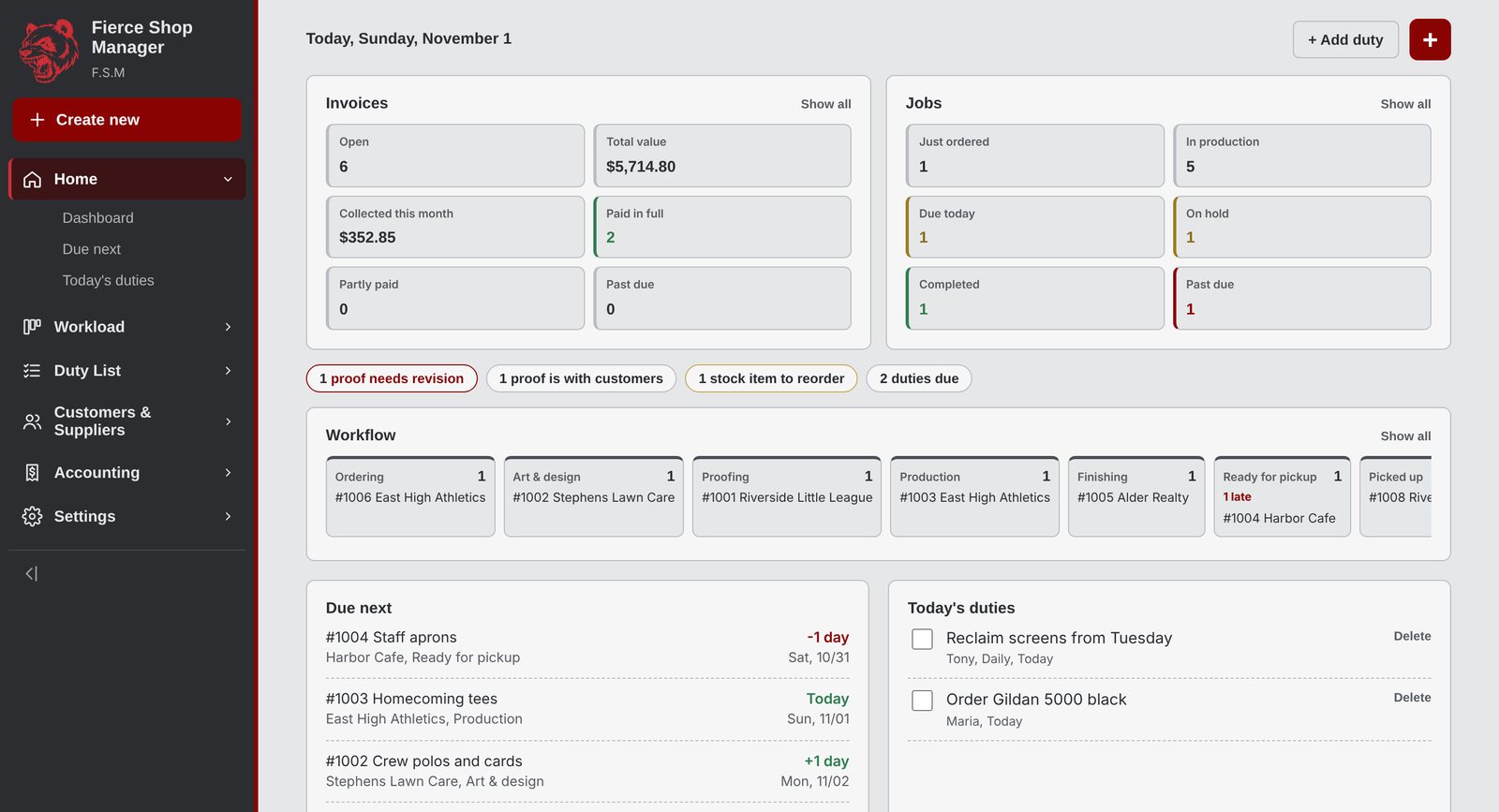
Your whole shop on one screen.
Quotes built from your real press costs. A board the whole floor can read. Proofs your customer approves from their phone. Invoices that know what is still owed. One place, from the first phone call to the last payment.
Pricing that matches your shop
Four ways to decorate, one honest price
Most software makes you keep a spreadsheet beside it. This one holds the real tables: your contract printer's chart, your press time, your stitch counts, your film and powder, your paper prices. Change a spec and the price moves while you watch.
Screen printing
Colour by colour, location by location.
- Quantity breaks, manual and auto press
- Ink type, flash and index time
- Screens, Pantone matches, rush days
- Contract chart or your own press
Embroidery
Stitches and machine minutes, not guesses.
- Run time per thousand stitches
- Hooping and trim per piece
- Multi-head capacity
- Digitizing, thread and backing
DTF
Priced by the square inch it actually uses.
- Film, powder and ink profiles
- Heat press cycle time
- Gang sheet nesting on your roll width
- Charged on roll area or image area
Signs and print
Materials and run sizes you buy.
- Price per square foot by material
- Business cards, flyers, hangers, NCR
- Your cost plus your markup
- Finishes that do not change the price
Inside the shop
Everything a job touches, in one place
A board the whole floor can read
Ordering through to picked up, with anything stuck sitting in its own hold column. Late jobs turn red on their own, so nothing quietly slips.
- Due dates that count down, and count past zero
- Tags, assigned staff and per-job notes
- Search and filter by customer, type or status
- Moves show up on every screen within a second

Invoices that know what is owed
Every invoice holds as many line items as the job needs, each with its own quantity, discount and tax setting. Payments, credit memos and refunds all land back on the balance.
- Deposits and partial payments
- Quotes that convert to jobs in one click
- Past due flagged before the customer forgets
- Card fee applied only when they pay by card

The price is built in front of you
Pick the job type, set the specs, and the line prices itself from your tables. Override the number when a customer earns it, and the calculated price stays visible beside your own.
- Unit cost, markup and margin on every line
- Setup charged once, not smeared into the piece price
- Rush surcharges figured from the job total
- Discounts as a percentage or dollars off each piece

Proofs your customer signs off
- Place artwork once, capture every colourway in seconds
- Real print size in inches, not a vague preview
- Send one link, no account for them to make
- They approve or ask for changes, colour by colour
- A rejection flips the job to needs revision with their note
The parts nobody enjoys
- Customers, contacts and job history
- Suppliers, stock levels and reorder flags
- Purchase orders that put stock back when received
- A duty list with daily and weekly repeats
- A press sheet showing operators the approved proof
How a job moves
From phone call to paid
Quote
Add line items by job type. Prices come from your tables, not a napkin.
Approve
Send a proof link. They sign off on each garment colour from their phone.
Produce
The job moves across the board. Operators get a sheet with the approved art.
Invoice
Email it from the app, with payment options and the balance due.
Collect
Record deposits and payments. The balance updates itself.
Built in our own shop
Fierce Shop Manager runs the floor at Fierce Panda Prints. If you own a shop and want a look at it, get in touch and we will show you how it handles your pricing.